
A page loses traffic, so the obvious response is to rewrite it. That is also how useful pages get damaged.
Sometimes the article is stale. Sometimes demand has moved on. Sometimes two pages from the same site are competing for the same searches. And sometimes nothing is actually wrong: a seasonal dip or a reporting change has made a healthy page look weak.
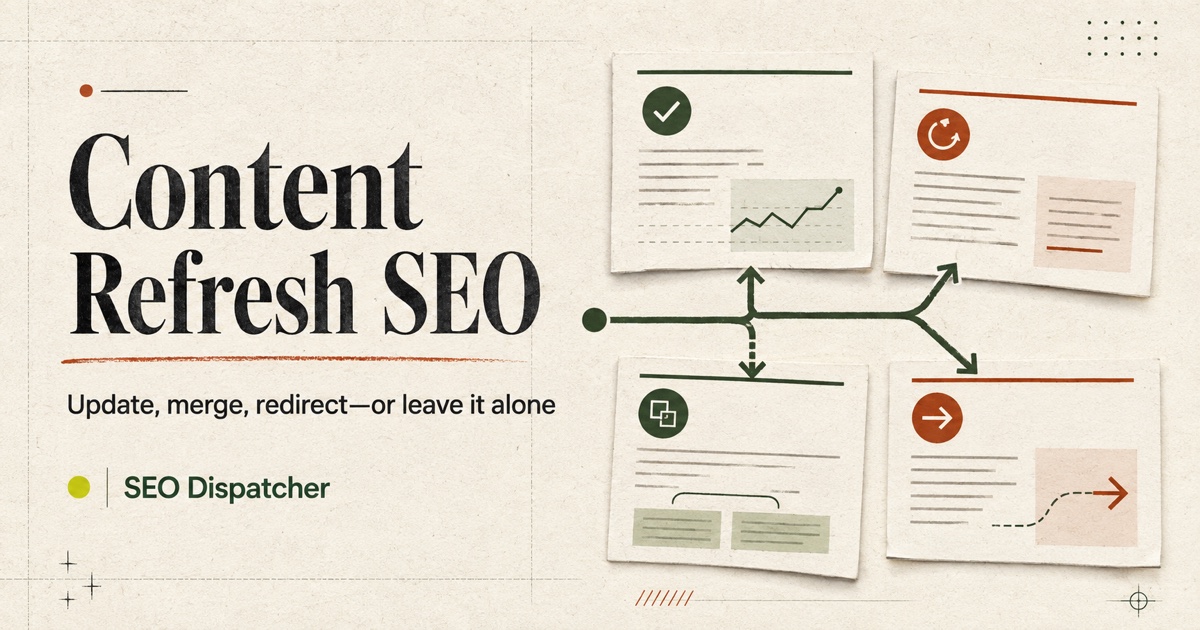
A content refresh should begin with a decision, not an edit. This guide shows how to decide whether to leave a page alone, update it in place, merge it with another page, redirect it, or remove it entirely.
First, prove that the page has a problem
Do not use a single week, one keyword, or a third-party visibility score as your verdict. Start with the page's own search history.
In Google Search Console, filter the Performance report to the exact URL. Compare a meaningful period with the previous period and, when the topic is seasonal, with the same period a year earlier. Google recommends using longer views to put a drop in context and checking whether the change is limited to particular queries, pages, countries, devices, or search appearances in its guide to debugging Search traffic drops.
Look at clicks and impressions separately:
- Clicks and impressions both fell. Demand may have declined, rankings may have changed, or Google may be showing the page for fewer queries.
- Impressions are steady but clicks fell. The result may be less appealing, a new search feature may be absorbing clicks, or competitors may now answer the intent more convincingly.
- Clicks fell only on one device or country. The cause may be local, technical, or tied to a different result layout.
- Search traffic is stable but conversions fell. That is usually a page, offer, tracking, or audience-quality problem, not proof that the article needs more SEO copy.
Before touching the page, also check for a site migration, an accidental canonical change, a noindex directive, an outage, a major template change, or a tracking failure. A writer cannot repair an indexing bug with a better introduction.
Read the query mix, not just the page total
Page-level totals tell you that something moved. Queries help explain what moved.
Export or inspect the queries for the URL and sort by the difference between the two periods. Group close variants by the job behind them. For example, “refresh old blog content,” “update old content for SEO,” and “content refresh checklist” may all represent one practical task even though the wording differs.
Then separate the changes into three buckets:
- Core-intent losses: queries the page was deliberately built to answer.
- Incidental losses: loosely related queries that happened to generate visibility but were never central to the page.
- New opportunities: relevant queries gaining impressions that the page only answers partially.
This prevents a common mistake: rewriting a focused article to recover every query it ever ranked for. If a page about content refreshes briefly earned impressions for “technical SEO audit,” expanding it into a general audit guide may make it less useful for its actual reader.
Search Console's comparison guidance notes that weekly or monthly grouping can reduce day-of-week noise. Its common use cases also recommend focusing on trends in clicks and impressions more than position alone. Average position is a blended number; it is context, not a diagnosis.
Choose the smallest correct action
Once you understand the decline, choose the least disruptive action that solves the real problem.
| Action | Use it when | Do not use it when |
|---|---|---|
| Leave it alone | The dip is seasonal, temporary, outside the core intent, or too small to judge | Facts are wrong, the product changed, or the page no longer completes the task |
| Update in place | The URL still owns the right intent but the answer is stale, incomplete, unclear, or poorly evidenced | A different page should own the intent |
| Merge pages | Two or more URLs serve the same reader and task, splitting useful material and signals | Each page answers a genuinely different question |
| Redirect | A retired URL has a clear, relevant replacement or has been merged into a stronger page | The destination is only vaguely related or is the home page by default |
Remove with 404 or 410 | The page has no replacement and no continuing value | People or links still depend on it, or a relevant successor exists |
Keep but noindex | The page remains useful to visitors but should not appear in search | You merely want Google to crawl it less often |
The rest of the process depends on that choice. “Refresh” is not a synonym for “rewrite everything.”
Leave the page alone when the evidence is weak
Doing nothing is a valid editorial decision.
Leave the page alone when a year-over-year comparison shows normal seasonality, the loss comes mostly from irrelevant queries, the page still satisfies its intended task, or the data volume is too small to support a conclusion. You might also wait if the site has just migrated or made a major technical change and search engines are still processing it.
This is not neglect. Record what you observed, choose a review date, and keep the baseline. Constant edits make it difficult to learn what affected performance and can erase sections that were already working.
Update in place when the intent is still right
Keep the existing URL when it remains the best home for the topic. A stable URL preserves bookmarks, internal links, external links, and the page's history while letting the answer improve.
Build a short refresh brief before editing:
- Which core queries and reader task does this page own?
- What has become factually wrong or out of date?
- Which questions are people now asking that the page does not resolve?
- What evidence can we add: screenshots, tested steps, examples, data, constraints, or a first-hand observation?
- Which parts already earn engagement, links, or query visibility and should be preserved?
- What should a reader be able to do after the refreshed page that they could not do before?
Then edit for usefulness. Replace obsolete steps. Add missing decision criteria. Tighten the opening so it answers the current question. Improve examples that are too abstract to follow. Check every external reference and product claim.
Do not change the publication date just to make the page look fresh. Google's people-first content guidance explicitly warns against changing dates when the content has not substantially changed. Use a visible “updated” date only after a meaningful revision, and keep the original publication date in the page data when your system supports both.
Merge pages when the site has two answers to one question
Content libraries often create overlap slowly. One writer publishes “how to refresh old content.” Months later, another publishes a “content update checklist.” Both pages are reasonable on their own, but they serve the same reader at the same moment.
To confirm overlap, check whether the pages:
- appear for many of the same query groups;
- have interchangeable titles or introductions;
- repeat the same advice with different examples;
- link to the same next step;
- would disappoint a reader if one disappeared, or whether the remaining page could fully replace it.
If they are truly competing versions of the same answer, choose the URL with the clearest fit, stronger links, better conversion path, or more durable naming. Move the best unique material into that page. Remove repetition, update the internal links, and permanently redirect the retired URL to the consolidated page.
Do not simply paste two articles together. A merge should create one coherent answer, not a longer document with two openings and duplicated sections.
Redirect only to a genuine replacement
A permanent redirect tells visitors that a resource has moved and gives search engines a strong canonical signal. Google's redirect guidance recommends permanent server-side redirects when the move is not temporary.
The destination must make sense to someone who requested the old URL. If an old comparison page has been incorporated into a new, complete comparison, redirecting is useful. Sending every retired blog post to the homepage is not. Google may interpret an irrelevant destination as a soft 404, and a visitor still fails to get the answer they expected.
After a merge or move:
- Add a direct
301or308from the old URL to the final destination. - Avoid chains such as old URL → intermediate URL → final URL.
- Change internal links so they point directly to the destination.
- Include only the destination in the sitemap.
- Make the destination self-canonical.
- Keep the redirect long enough for users, crawlers, and old links to rely on it.
Remove a page when there is no useful successor
Some content should end. An expired announcement, an unsupported integration, or a thin page created for a demand that never existed may have no relevant replacement.
If the page has no continuing value and no equivalent destination, remove it and return a real 404 or 410. Google's crawling guidance says a removed page with no similar replacement should return one of those status codes. A helpful custom not-found page can still offer navigation, but the response itself should not pretend the old content exists.
Use noindex for a different situation: the page remains useful to people who can reach it, but you do not want it in search results. Examples might include an internal campaign landing page or a utility page with little standalone search value. Google must be able to crawl the page to see a noindex directive, so blocking the same URL in robots.txt can prevent that signal from being read.
Protect what already works while editing
The safest refresh is selective. Before rewriting, save the old version and note:
- sections attracting external links;
- queries for which the page still performs;
- examples or definitions readers refer to;
- internal links that make the page part of a larger journey;
- snippets, tables, or steps that answer a question cleanly.
Keep those assets unless there is a clear reason to change them. A refresh can improve weak sections without flattening the page into a completely new article.
Also resist the urge to expand sideways. If the query data reveals a distinct task, it may deserve another page rather than another 1,000 words in this one. The test is simple: could the same person reasonably need both pages at different moments? If yes, keep them separate and connect them with an internal link. If no, you may be looking at overlap.
Measure the refresh as a controlled change
On the day the update goes live, record the URL, the change, the reason, and the result you expect. Search Console annotations or a simple release log are enough.
Check that the page still returns 200, remains indexable, uses the intended canonical, appears in the sitemap, and receives the necessary internal links. Then give the change time to be crawled and collect enough comparable data.
Measure the signal that matches the decision:
- An expanded answer should gain relevant impressions or engagement for the missing query group.
- A clearer title and opening may improve qualified clicks and on-page engagement.
- A merge should concentrate queries and links on the surviving URL while the retired URL leaves the index.
- A redirect should send users and crawlers directly to the relevant replacement without a chain.
- A removal should disappear cleanly without creating broken internal links.
Do not credit every upward movement to the refresh. Competitors, seasonality, search features, news, and algorithm changes still exist. Compare similar periods and look for a change that aligns with the page and query group you actually edited.
A worked example
Imagine a software company has two articles:
/blog/seo-content-audit/blog/update-old-blog-posts
Both appear for queries about refreshing old content. The first has stronger external links; the second has a clearer step-by-step section but very few independent queries.
The sensible action is not to rewrite both. Keep /blog/seo-content-audit, add the unique steps from the second article, remove duplicated explanations, and redirect /blog/update-old-blog-posts to the improved page. Update any internal links that still point to the retired URL.
Now change one detail: the second article actually ranks for “change WordPress post date” and helps a different reader complete a platform-specific task. The overlap is only superficial. Keep both pages, clarify their titles and scopes, and link between them where the reader's journey crosses over.
That is why the decision comes before the edit. URL choices should follow reader intent, not title similarity.
A content refresh checklist
Diagnose
- Compare enough history to account for normal volatility and seasonality.
- Filter by the exact page, then inspect query, country, device, and search-type changes.
- Separate core-intent losses from incidental query losses.
- Rule out indexing, migration, outage, and measurement problems.
- Check whether another URL now serves the same task.
Decide
- Leave the page alone if the evidence does not justify a change.
- Update in place if the URL still owns the correct intent.
- Merge only when multiple pages are genuinely interchangeable.
- Redirect only to a close replacement.
- Return
404or410when there is no replacement. - Use
noindexonly when the page should remain available but not searchable.
Publish and learn
- Preserve the strongest parts of the existing page.
- Make the factual or practical improvement substantial enough to help a reader.
- Update internal links, canonical data, sitemap entries, and redirects together.
- Record the change date and expected outcome.
- Review the relevant page and query groups after enough data accumulates.
Turn the decision into a tracked update
Content refreshes become messy when the performance data, old article, rewrite, and repository all live in different tools. SEO Dispatcher keeps those parts connected to the same website.
Start with the Search Console queries attached to the page, then run an audit on the live URL. Check the content library before creating anything new, so an existing article gets improved when it already owns the intent. Make the change in the editor, review the page-level findings, and publish the approved Markdown or MDX file through GitHub.
That workflow does not decide blindly that every declining page needs a rewrite. It gives you the evidence to leave a healthy page alone, improve the right URL, or prepare a better replacement while keeping the final change in version control.
If you have an article you are unsure about, start your free trial and use that URL as your first audit. The goal is not to publish more. It is to make the next change easier to justify and easier to ship.
FAQ
How often should I refresh SEO content?
Use evidence, not a fixed calendar. Review high-value or fast-changing pages more often, but edit when facts, intent, product details, or performance data show a real need. A monthly rewrite of a stable evergreen page usually creates noise rather than value.
Should I change the URL when I update an article?
Usually no. Keep the URL when the page still owns the same reader intent. Change it only when the old URL is misleading or the content is moving to a better permanent location, and then redirect the old URL directly to the new one.
Is deleting old content good for SEO?
Deleting pages simply to make a site look fresh is not an SEO strategy. Remove content when it is wrong, unsupported, duplicative, or no longer useful and cannot be improved. Preserve, update, or merge pages that still help people.
How much of an article should change during a refresh?
As much as the diagnosis requires and no more. Some pages need one corrected section and a better example. Others need a structural rewrite. The size of the edit is less important than whether the new version resolves the reader's task more accurately and completely.
See also
- What Is SEO? A Practical Guide for Modern Websites — understand the crawling, indexing, content, and measurement foundations behind the decisions in this guide.
- How to Improve SEO: A Practical Audit and Content Checklist — diagnose technical and content problems before deciding what to change.
